
MagicTV Streaming Player Full3.0 - Google Play
You'll be able to see results in few seconds.
Publisher Description
*** Please try the free version first before buying the full version ***
*** For instructions on mapping the MagicTV port to Internet, please refer to http://goo.gl/gSEFC ***
This is the first client that is able to watch remote streaming from MagicTV 7000/8000 series.
Most functions from official client are available:
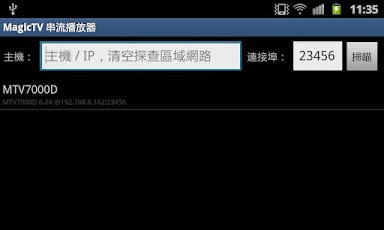
- Probe of devices from local LAN, so no IP entering required
- Manual input of IP address and port to connect to devices that is exposed to Internet
- List of current programmes in all channels and switching channel
- Changing streaming quality
- List of recorded programmes and playing with seeking function
- Switch of subtitle and audio track
- Ability to use external player (e.g. MX Player) for streaming playing with better result (Since v2.0)
Note that you should have a relatively high-end device (at least ARMv7 with 1GHz) to get a satisfactory result.
* Full version users can now download desktop streaming control client for one MagicTV device. For more information, select "Desktop Client" from main menu *
About MagicTV Streaming Player Full
The company that develops MagicTV Streaming Player Full is Studio KUMA. The latest version released by its developer is 3.0.
To install MagicTV Streaming Player Full on your Android device, just click the green Continue To App button above to start the installation process. The app is listed on our website since 2015-01-12 and was downloaded 0 times. We have already checked if the download link is safe, however for your own protection we recommend that you scan the downloaded app with your antivirus. Your antivirus may detect the MagicTV Streaming Player Full as malware as malware if the download link to com.studiokuma.magictv.android is broken.
How to install MagicTV Streaming Player Full on your Android device:
- Click on the Continue To App button on our website. This will redirect you to Google Play.
- Once the MagicTV Streaming Player Full is shown in the Google Play listing of your Android device, you can start its download and installation. Tap on the Install button located below the search bar and to the right of the app icon.
- A pop-up window with the permissions required by MagicTV Streaming Player Full will be shown. Click on Accept to continue the process.
- MagicTV Streaming Player Full will be downloaded onto your device, displaying a progress. Once the download completes, the installation will start and you'll get a notification after the installation is finished.
Program Details
System requirements
Download information
Pricing
Version History
version 3.0
posted on 2015-01-12
- Introduction of new player engine (ExoPlayer) which is now used by default for Android 4.1 and above, which dramatically improves playback quality and allow Immersive Mode (Full screen with button bar hiding),- Fixed direct input number pad sometimes doesn't work on some channels
version 2.03
posted on 2013-07-02
Several fixes and updates
Disclaimer
Official Google Play Link
We do not host MagicTV Streaming Player Full on our servers. We did not scan it for viruses, adware, spyware or other type of malware. This app is hosted by Google and passed their terms and conditions to be listed there. We recommend caution when installing it.
The Google Play link for MagicTV Streaming Player Full is provided to you by apps112.com without any warranties, representations or guarantees of any kind, so access it at your own risk.
If you have questions regarding this particular app contact the publisher directly. For questions about the functionalities of apps112.com contact us.
